Appearance
宝塔安装
本页适用于使用宝塔面板部署的服务器;不使用宝塔时请参阅普通安装。上线后的进程和反向代理配置见生产部署。
准备环境
- PHP
>= 8.0且<= 8.3 - Composer
>= 2.0 - MySQL 或 PostgreSQL
1. 修复 PHP 禁用函数
Linux 服务器执行:
bash
curl -Ss https://www.workerman.net/webman/fix-disable-functions | phpWindows 用户跳过此步骤。
2. 安装依赖
进入源码目录执行:
bash
composer install3. 启动服务
Linux 执行:
bash
php start.php start -dWindows 执行:
bat
windows.bat4. 新建站点并设置运行目录
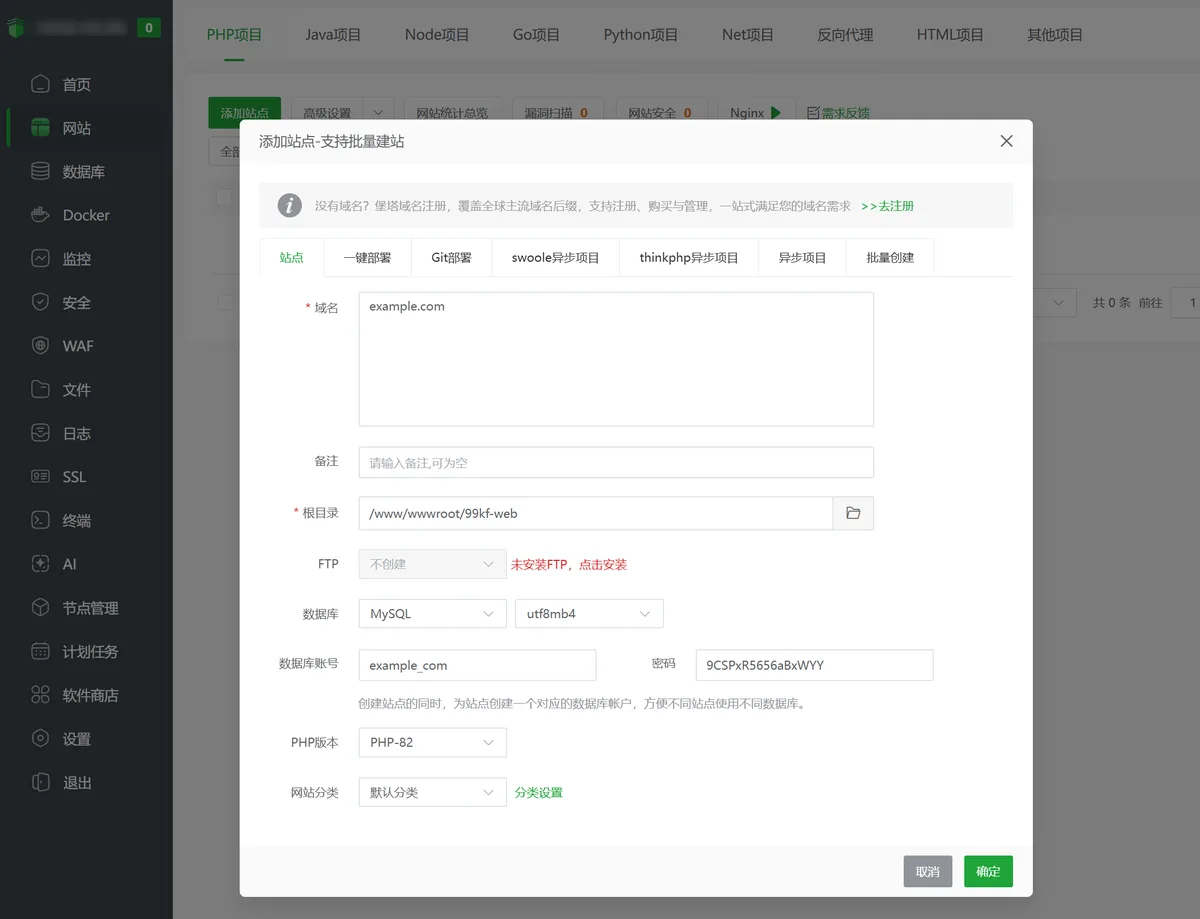
新建站点
在宝塔面板新建站点,网站根目录指向 99kf 源码目录(例如 99kf-web)。
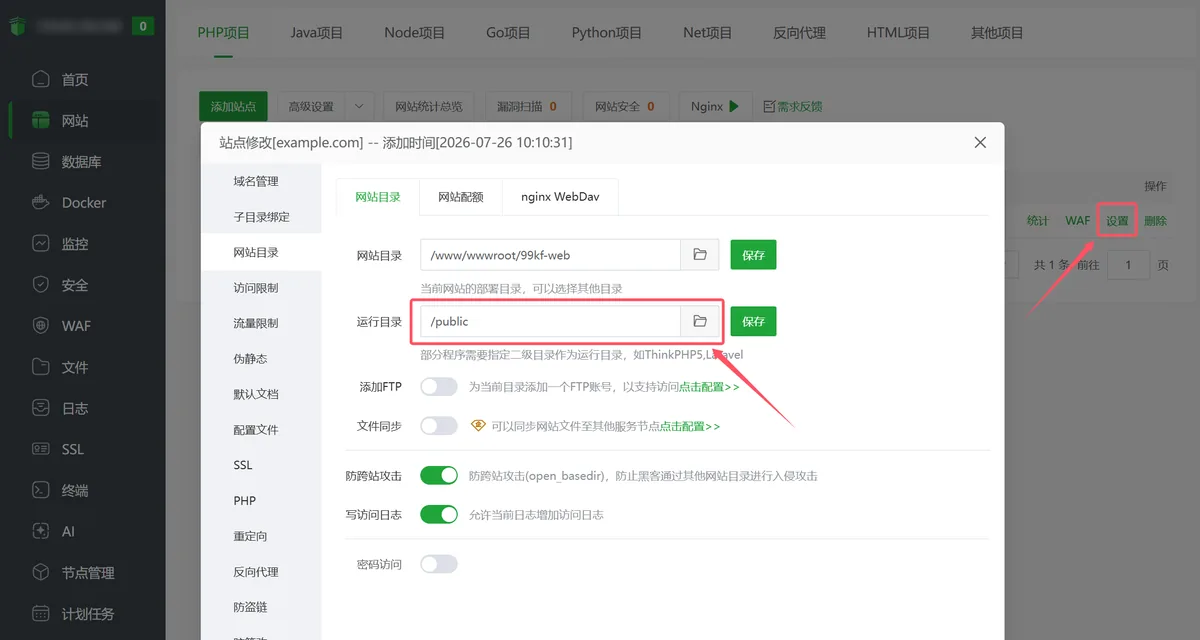
设置运行目录
进入站点「设置」→「网站目录」,将运行目录设置为 /public 并保存。
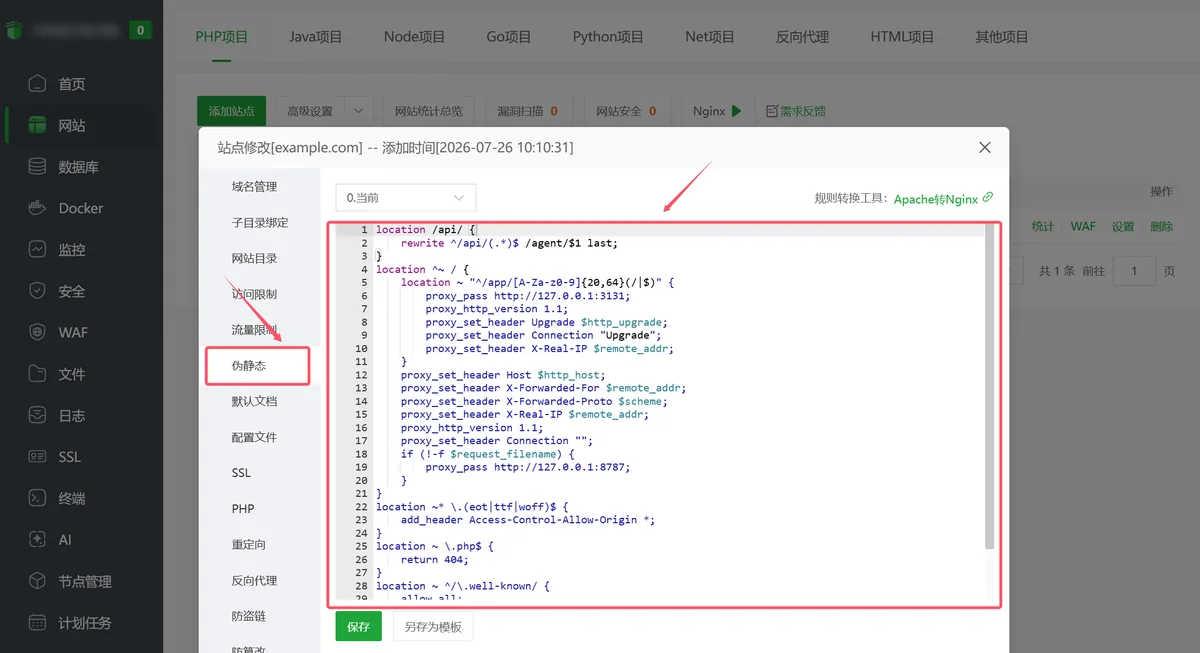
5. 配置 Nginx 伪静态
在宝塔站点的「伪静态」配置中添加以下内容:
nginx
location /api/ {
    rewrite ^/api/(.*)$ /agent/$1 last;
}
location ^~ / {
    location ~ "^/app/[A-Za-z0-9]{20,64}(/|$)" {
        proxy_pass http://127.0.0.1:3131;
        proxy_http_version 1.1;
        proxy_set_header Upgrade $http_upgrade;
        proxy_set_header Connection "Upgrade";
        proxy_set_header X-Real-IP $remote_addr;
    }
    proxy_set_header Host $http_host;
    proxy_set_header X-Forwarded-For $remote_addr;
    proxy_set_header X-Forwarded-Proto $scheme;
    proxy_set_header X-Real-IP $remote_addr;
    proxy_http_version 1.1;
    proxy_set_header Connection "";
    if (!-f $request_filename){
        proxy_pass http://127.0.0.1:8787;
    }
}
location ~* \.(eot|ttf|woff)$ {
    add_header Access-Control-Allow-Origin *;
}
location ~ \.php$ {
    return 404;
}
location ~ ^/\.well-known/ {
    allow all;
}
location ~ /\. {
    return 404;
}
6. 完成安装
访问:
text
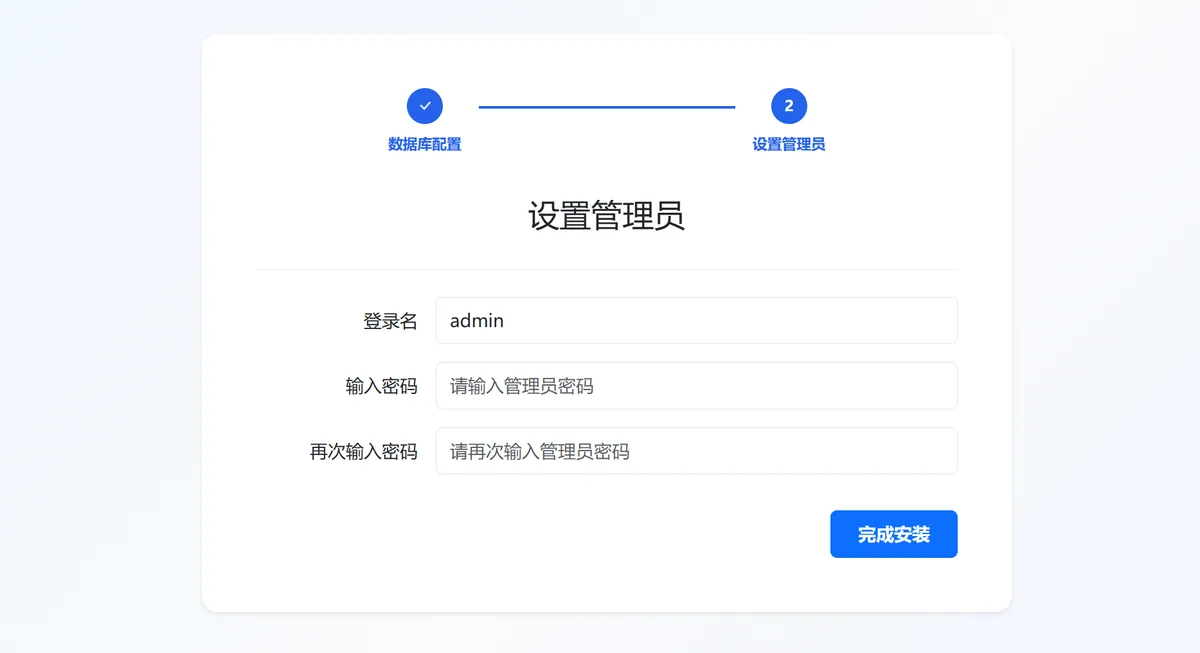
http://你的域名/install根据安装向导检测环境并填写数据库配置,完成后即可使用系统。
数据库配置
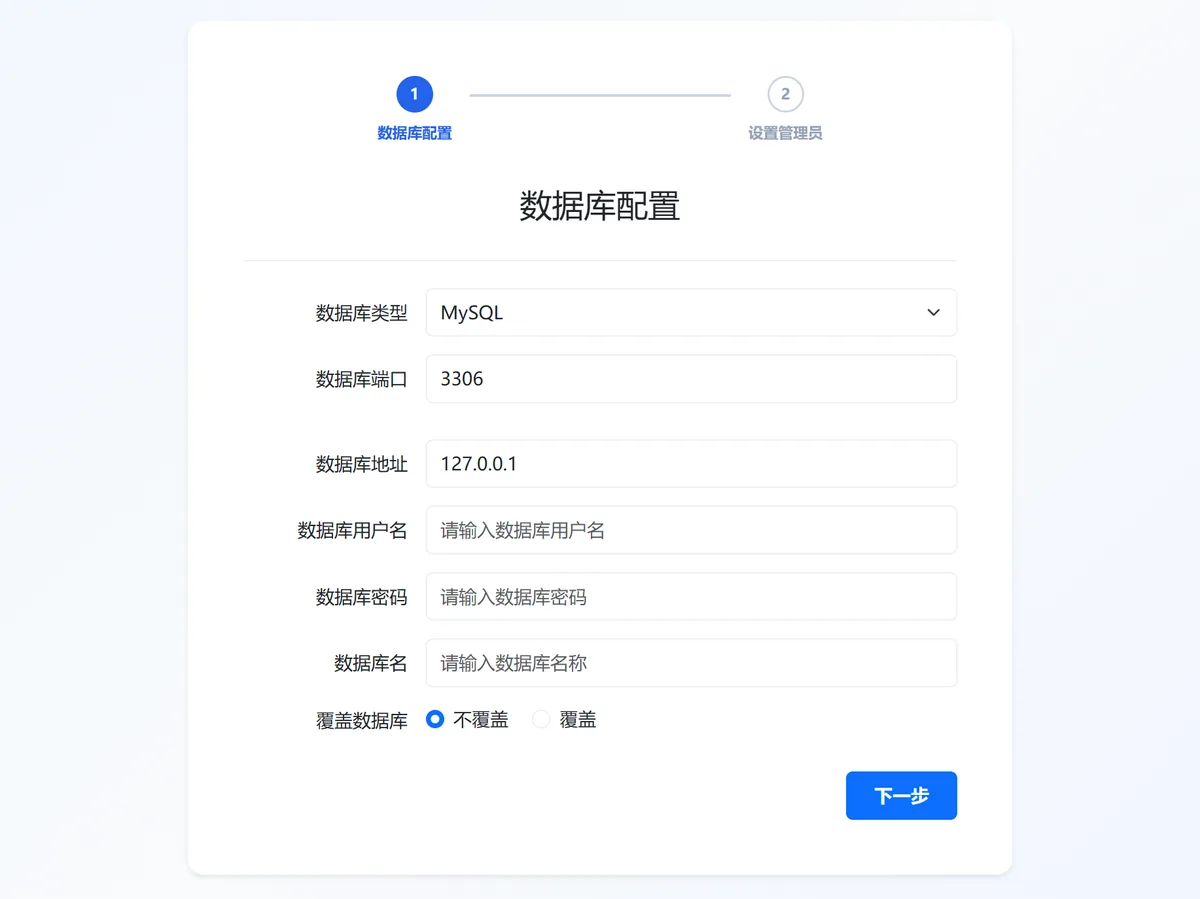
设置管理员